Web IFC Viewer
A modern tool for precise and efficient work with BIM data directly in your browser.
Key Features
Everything you need for professional BIM work on the web.
Wide IFC Support
Support for IFC 2x3, IFC 4, and IFC 4.3. Smooth loading of large models.
Measurement & Analysis
Measure distances, areas, volumes. Create sections and analyze elements in detail.
IFC Alignment
Advanced alignment support, ideal for infrastructure and linear projects.
GIS Integration
Visualize models over map backgrounds with geolocation support.
Visualization Modes
X-ray mode, edge rendering, and various other display modes.
Collaboration
Annotations, view sharing, and easy integration into your systems.
Wide IFC Format Support
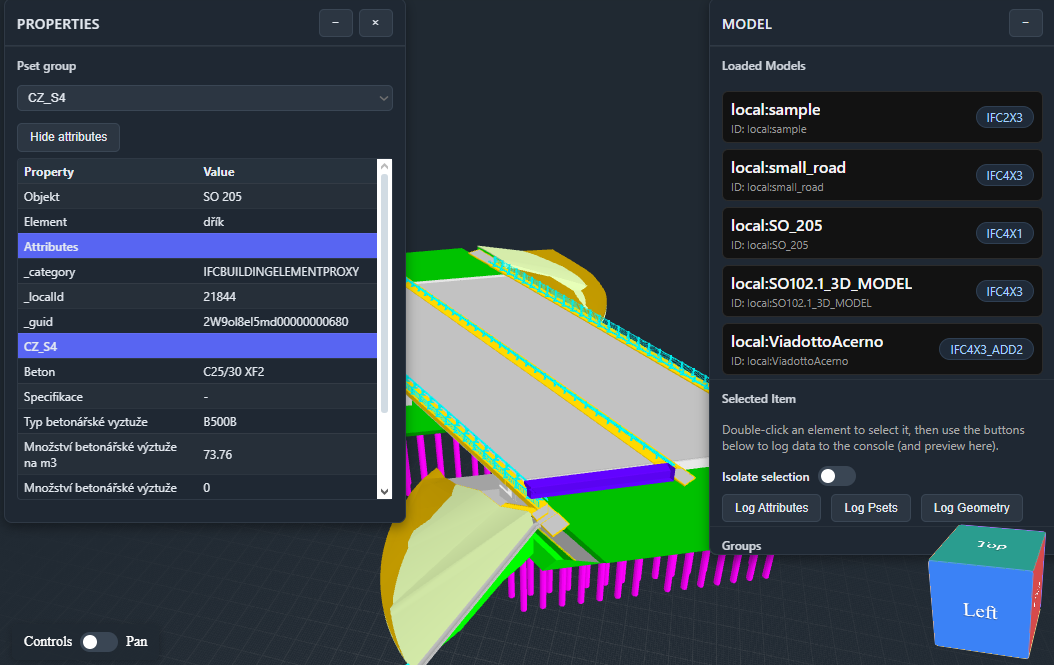
The viewer supports all commonly used versions of the IFC standard – IFC 2x3, IFC 4, and the latest IFC 4.3. Thanks to an optimized core based on modern web technologies, it smoothly loads even extensive infrastructure models. Working with element properties, filtering, and isolation is standard.
Advanced Measurement & Analysis
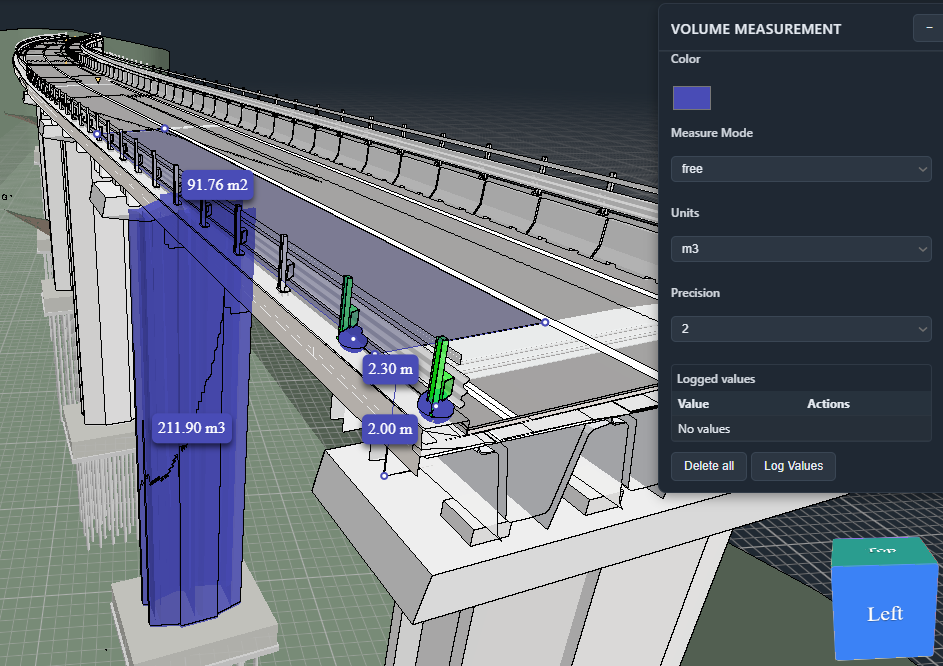
A complete set of tools for precise measurement of distances, areas, and volumes is at your disposal. You can create sections in any axis (X, Y, Z) or perpendicular to a selected surface. The system supports intelligent snapping to vertices and edges, including automatic calculation of the shortest distance between two objects.
Unique Alignment Workflow
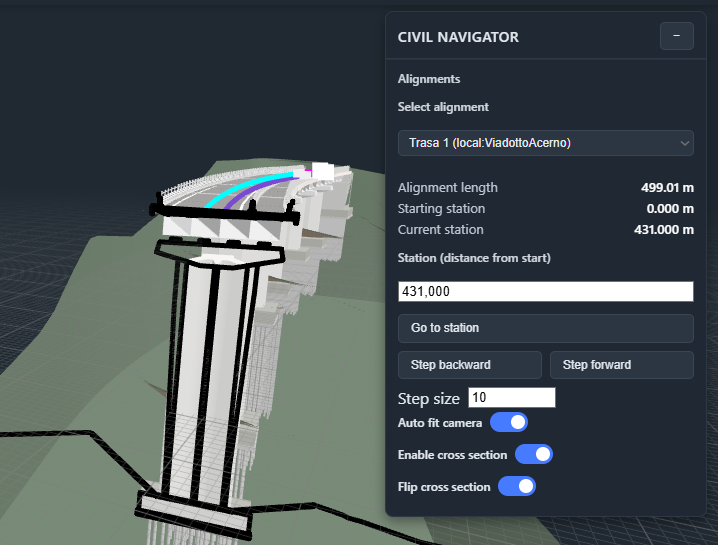
One of the few viewers with full support for infrastructure projects and IFC Alignment. It allows displaying stationing directly in the model, navigating to specific chainage, or creating automatic sections perpendicular to the alignment axis. An ideal tool for checking road and railway projects.
GIS Map Visualization
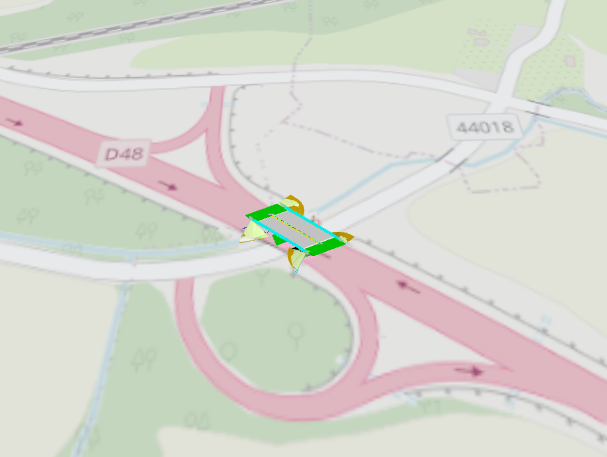
Geolocated models can be displayed in real context on a map background. The viewer can load multiple models at once and automatically place them according to their coordinates, allowing you to check the continuity of architectural, structural, and infrastructure units in one space.
Visualization Modes
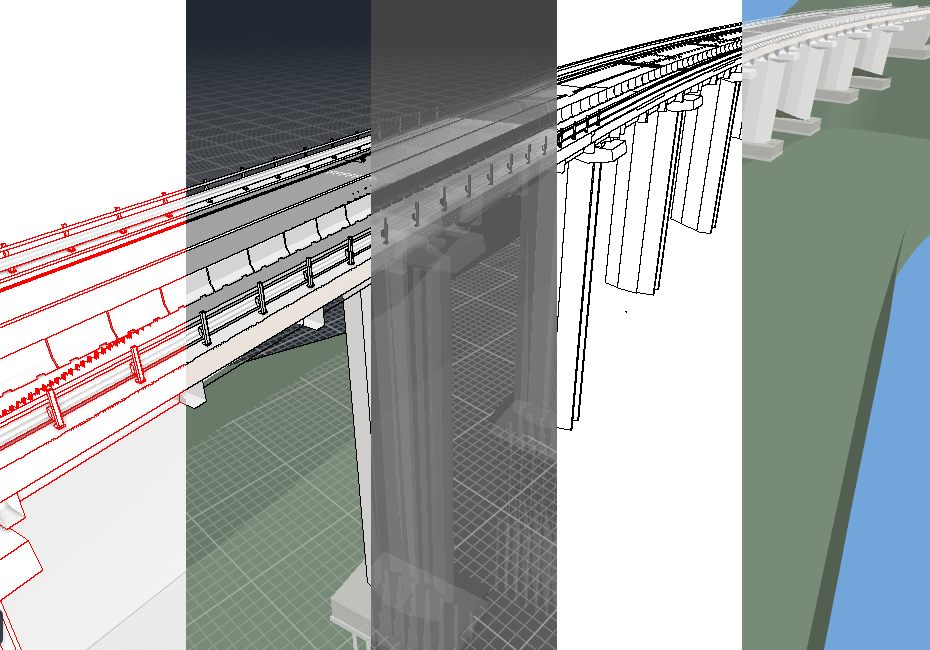
In addition to standard rendering, the viewer offers special modes for technical analysis. X-ray mode allows looking inside structures, the edge rendering mode highlights edges for better drawing readability, and there is also an orthographic camera for technical views without perspective distortion.
Collaboration & Annotation
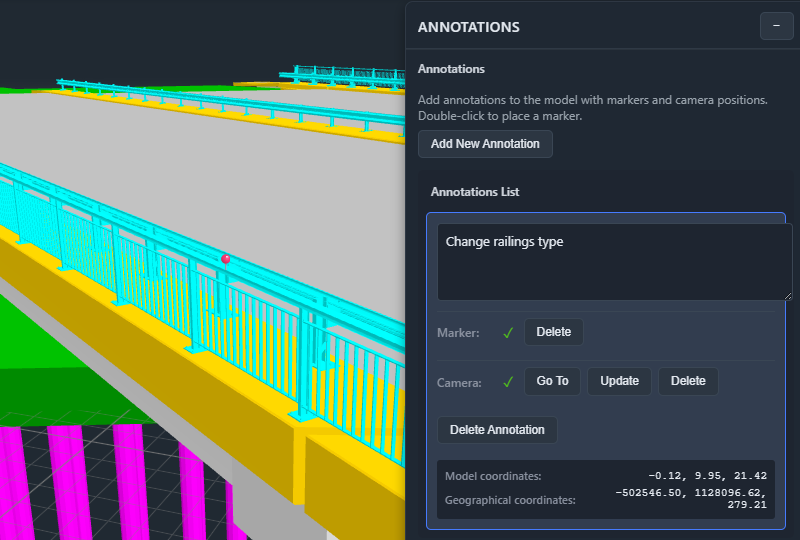
You can create annotations, comments, and tasks directly in the 3D model. Saved views (Viewpoints) remember camera position and object visibility states. All data can be exported and shared with colleagues, or the viewer can be integrated directly into your CDE (Common Data Environment).
Trusted By
We work with leading organizations in construction and infrastructure



Technology
Built on modern web standards for maximum performance.